Posts Tagged ‘ productivity ’

Online collaborative writing

January 28, 2014
By
Online collaborative writing

Everyone who has written a paper with another author will know it can be tricky making sure you don’t end up with two versions that need to be merged. The good news is that the days of sending updated drafts by email backwards and forwards is finally over (having lasted all of 25 years — I can barely imagine writing papers before email). LaTeX solutions There has been a lot…

Read more »

Useful Softwares for Research

June 20, 2013
By
Useful Softwares for Research

I took a session yesterday on ‘Useful software for research’ for the new batch of research scholars. I hope sharing the slides useful to other research students. The software suggestions are prepared based on my experience and colleagues’ experience. The … Continue reading →The post Useful Softwares for Research appeared first on Fiddling with data and code.

Read more »

PLATO, an Alternative to PLINK

May 30, 2013
By
PLATO, an Alternative to PLINK

Since the near beginning of genome-wide association studies, the PLINK software package (developed by Shaun Purcell’s group at the Broad Institute and MGH) has been the standard for manipulating the large-scale data produced by these studies.  O...

Read more »

Managing research ideas

May 25, 2013
By
Managing research ideas

I received this email today: Dear Professor Hyndman, I was wondering if you could maybe give me some advice on how to organize your research process. I am able to search the literature on a certain topic and identify where there is a question to work with. My main difficult is to organize my paper annotations in order to help me to guide my research process, i.e, how to manage…

Read more »

From OpenOffice noob to control freak: A love story with R, LaTeX and knitr

March 8, 2013
By
From OpenOffice noob to control freak: A love story with R, LaTeX and knitr

Lately I had to write a seminar paper for a class and I decided to overdo it.But let's start at the very beginning. Here is my evolution of how I used to write stuff and how I got from this:to that:School: OpenOffice - I guess everyone has some&nb...

Read more »

Workflow w/ reports package

February 24, 2013
By
Workflow w/ reports package

NOTE: THIS IS NOW A PACKAGE SEE THIS LINK FOR DETAILS Let me start with a video for people who just want to see what I’m demo-ing first: I’ve been interested in speeding up workflow lately and spending a lot … Continue reading →

Read more »

Copy Text to the Local Clipboard from a Remote SSH Session

November 26, 2012
By
Copy Text to the Local Clipboard from a Remote SSH Session

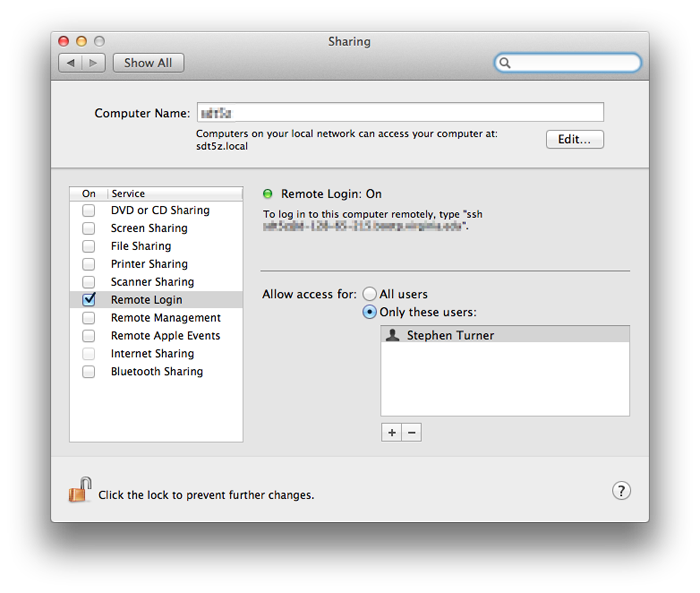
This is an issue that has bugged me for years, and I've finally found a good solution on osxdaily and Stack Overflow. I'm using Terminal on my OSX laptop to connect to a headless Linux machine over SSH, and I want to copy the output from a command (on ...

Read more »

SimpleR tips, tricks and tools

November 20, 2012
By
SimpleR tips, tricks and tools

I gave this talk last night to the Melbourne Users of R Network. Examples

Read more »

Makefiles for R/LaTeX projects

October 31, 2012
By
Makefiles for R/LaTeX projects

Updated: 21 November 2012 Make is a marvellous tool used by programmers to build software, but it can be used for much more than that. I use make whenever I have a large project involving R files and LaTeX files, which means I use it for almost all of the papers I write, and almost of the consulting reports I produce. If you are using a Mac or Linux, you…

Read more »

LaTeX loops

October 23, 2012
By
LaTeX loops

Today I was writing a report which included 20 figures, with the names demandplot1.pdf, demandplot2.pdf, …, demandplot20.pdf, and all with similar captions. Clearly a loop was required. After all, LaTeX is a programming language, so we should be able to take advantage of its capabilities. I found the forloop package which handled the problem perfectly. My first attempt looked like this: \newcommand{\demandplot}[1]{\begin{figure}\centering \includegraphics[width=\textwidth]{./figs/demandplot#1.pdf} \caption{Hourly demand (GW) for zone #1.} \end{figure}}…

Read more »


Subscribe

Email:

  Subscribe